Uncover the Top 16 Competitor Analysis Tools for 2027 That Industry Leaders Don’t Want You to Know About
Choosing the right competitor analysis tool these days feels a bit like hunting for a needle in a haystack, doesn’t it? Every year, the landscape gets more crowded—some tools laser-focus on SEO, others dive deep into social signals, ads, or email campaigns. And now, there’s a fresh batch tracking how competitors pop up in ChatGPT and Google AI Overviews, adding an entirely new layer to this puzzle. Prices? They range from absolutely free (yes, that’s a thing) to several hundred bucks a month. Picking wrong? You might end up shelling out for data you’ll never touch or, worse, miss moves your competitors are making right under your nose. I get it—the overwhelm is real. So, to help you cut through the noise, I’ve laid out a detailed comparison of 16 top competitor analysis tools—including their starting prices and what freebies they offer. Plus, I’ll walk you through how I sized them up and share a smart workflow to compare your rivals across search rankings, traffic, backlinks, and even AI visibility. If you’re more about mastering the process than just the platforms, I also point you toward a solid guide on competitive analysis to get you started. Ready to outsmart your competition? Let’s dive in. LEARN MORE.
Choosing between competitor analysis tools gets harder every year.
Some focus on SEO. Others on social, ads, or email. A newer group tracks how competitors show up in ChatGPT and Google AI Overviews. And prices run from free to several hundred dollars a month.
Pick the wrong one, and you pay for data you never use or miss the competitor moves that matter.
Below, we compare 16 competitor analysis tools, with starting prices and free options. We also explain how we evaluated them and show a workflow for comparing competitors across search rankings, traffic, backlinks, and AI visibility.
If you need the process more than the tools, start with our guide to competitive analysis.
Competitor analysis tools compared
This table compares 16 competitor analysis tools by what each does best, its strengths and limits, what it costs to start, and what you can use for free.
Tool | Best for | Strengths | Limitations | Starting price | Free access |
1. Semrush | Comparing rankings, traffic, backlinks, and AI visibility in one platform | Search, traffic, ads, and AI data in one place | Traffic data is a separate toolkit | Free account; free trial of paid plans | |
2. Ahrefs | Competitor backlink and keyword research | Compares up to 20 competitors | Competitive analysis reports start on Lite ($129/month) | $29/month | Ahrefs Free (limited, for sites you own) |
3. SE Ranking | Small teams that want competitor research at an entry price | Unlimited competitor research on entry plan | 25 AI prompts a day; more need an add-on | $129/month | 14-day free trial |
4. Similarweb | Estimating competitor traffic and audience | Traffic, channel, and audience estimates | Entry plan: one user, three months of data | $199/month | Free trial; free traffic and AI traffic checkers |
5. SpyFu | Competitor SEO and PPC keyword and ad history | Historical keyword and ad data | Entry plan: 10,000 results per search, no historical data | $39/month | No free trial |
6. Profound | Larger teams benchmarking AI visibility | Tracks up to 10 AI answer engines | Custom pricing only | Custom pricing | No free plan or trial listed |
7. Peec AI | Marketing teams tracking competitors in AI answers | Unlimited competitors on every plan | Three AI models per plan | $95/month | Free trial |
8. Otterly.AI | Low-cost AI visibility monitoring | Share of voice and citation tracking | 20 prompts on entry plan | $29/month | Free trial |
9. Sprout Social | Benchmarking social performance against competitors | Social benchmarking; listening as an add-on | Competitor reports start at $299/seat (annual) | $99/seat/month | 30-day free trial |
10. Brand24 | Tracking competitor mentions and sentiment | Mention tracking with AI sentiment | Three keywords on entry plan | $249/month | 14-day free trial |
11. BuzzSumo | Finding competitors’ top-performing content | Engagement data on competitor content | One user, two alerts on entry plan | $199/month | Seven-day free trial |
12. vidIQ | Tracking competitors on YouTube | Competitive intel on YouTube channels | Enterprise plan needed for more than three channels | $19/month | Free plan (no free trial for paid plans) |
13. Owletter | Monitoring competitor email campaigns | Captures and stores every competitor email | 10 websites on entry plan | $29/month | 14-day free trial; no free plan |
14. Adbeat | Researching competitor display and native ads | Ad creatives, publishers, and traffic sources | 90 days of data on entry plan | $249/month | Free account |
15. BuiltWith | Finding which technologies competitors use | Tech stack lookups for any site | Two tracked technologies on entry plan | $295/month | Free single-site lookups |
16. Visualping | Getting alerts when competitor pages change | Before-and-after change screenshots | Entry plan is for one user | $14/month | Free plan: five pages, 150 checks a month |
Starting prices are US list prices for monthly billing, as shown on each vendor’s site on November 26, 2026. They exclude taxes and add-ons, and many vendors charge less per month on annual billing. Confirm current pricing and plan limits on the vendor’s site before you buy.
How we evaluated these competitor analysis tools
We compared each tool on five criteria:
- Competitor data covered: Which competitor data the tool shows, such as keywords, backlinks, traffic, ads, social activity, email, or AI answers
- Entry-plan access: What the cheapest plan includes compared with higher tiers
- Pricing transparency and free access: Whether prices are public, how billing works, and whether there’s a free plan or trial
- Team fit: Whether the tool suits a solo marketer, a small team, or an agency
- AI visibility support: Whether the tool shows how competitors appear in AI-generated answers
For each tool, we reviewed the vendor’s pricing page, feature pages, and documentation in November 2026. We recorded entry-plan prices with their billing basis and checked which competitor features sit on which plan. Where a page didn’t make a plan limit or price clear, we left it out.
Semrush, the first tool on this list, is our product. We include it because it covers several competitor data types in one platform, and we hold it to the same criteria as every other tool.
Best competitor analysis tools for SEO and traffic
The best competitor analysis tools for SEO and traffic are Semrush, Ahrefs, SE Ranking, Similarweb, and SpyFu. These tools let you see which keywords rivals rank for, how much traffic they get, and how they appear in AI answers.
1. Semrush
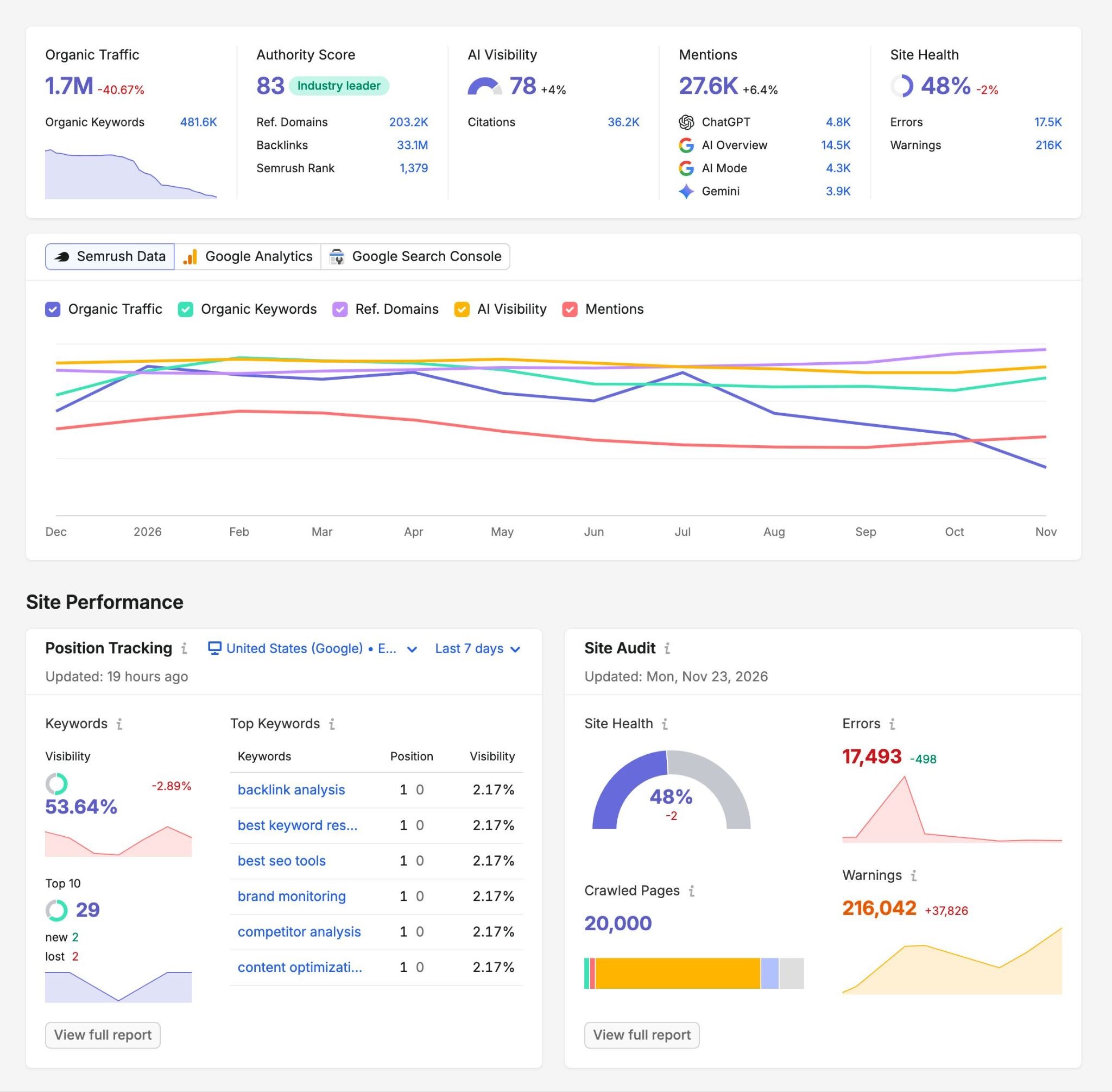
Semrush is a search visibility platform that lets you compare your site with competitors across search rankings, traffic, backlinks, ads, and AI visibility from one login.
It’s built for businesses of all sizes, from startups to digital agencies.

What you can compare with Semrush:
- Rankings and traffic: Use Domain Overview and Organic Rankings to see a competitor’s ranking keywords, top pages, SERP features, and traffic estimates
- Keyword gaps: Keyword Gap shows the keywords your competitors rank for that you don’t
- Backlinks: Backlinks compares referring domains and authority, and Backlink Gap lists the sites that link to your competitors but not to you
- Traffic sources: Traffic Analytics breaks a competitor’s visits down by channel, including organic search and AI platforms
- AI visibility: The AI Visibility Toolkit benchmarks how often your brand appears in AI answers with Visibility Overview, and its Competitor Research report compares you with rivals on mentions, topic gaps, and prompt gaps
- Ads and social: Advertising Research shows competitors’ paid keywords and ad copy, and Social Tracker benchmarks their social activity
The App Center adds apps like AdClarity for display and video ad tracking and Exploding Topics for spotting emerging competitors and trends.
For the full list, see Semrush’s competitor analysis features page.
Pricing
Semrush offers a free account and a free trial of paid plans. Compare current plans and pricing to see what fits your team.
2. Ahrefs
Ahrefs is a good fit if you want to compare competitors’ backlinks and keywords in one place.

Key features
- Competitor backlink research: See which sites link to your competitors and how their link profiles have changed
- Competitive Analysis report: Compare your keywords and backlinks with up to 20 competitors per project for Lite, Standard, and Advanced plans
- Keyword research: Check the keywords your competitors rank for with Keywords Explorer
- AI visibility tracking: Brand Radar benchmarks your brand against competitors in AI Overviews, AI Mode, ChatGPT, Perplexity, and Gemini
Pricing
Plans start at $29 per month on monthly billing. The Competitive Analysis report and Brand Radar start on the Lite plan at $129 per month. Ahrefs Free gives you limited Site Explorer and Site Audit access for sites you own. Check Ahrefs’ pricing page for plan details.
3. SE Ranking
SE Ranking covers competitor keyword, backlink, and traffic research on its entry plan.

Key features
- Competitor website data: Access estimated traffic, clicks, and monthly costs for competitor websites to gauge their performance
- Keyword and metric comparison: Compare competitor keywords and performance metrics side by side
- PPC research: Uncover the keywords competitors target in ads and their top-performing ads
- AI visibility tracking: Track how your brand appears in Google’s AI experiences and ChatGPT
See all features on SE Ranking’s features page.
Pricing
SE Ranking’s plans start with Core at $129 per month with monthly billing ($103.20/month when billed annually). Core tracks 25 AI prompts a day, and more need the AI visibility add-on. There’s a 14-day free trial with no card required.
4. Similarweb
Similarweb estimates competitor traffic, channel mix, and audience, which makes it a strong choice for a holistic view of a competitive landscape.

Key features
- Traffic and channel estimates: See competitors’ visits and engagement, and how much traffic they get from search, social, referral, and paid channels
- Audience insights: Review customer demographics and audience overlap
- Competitor alerts: Get notified when competitors’ traffic or strategy changes
- AI visibility: Certain tiers within the Web Intelligence tool give you access to AI visibility and citation analysis
For the full list of features, check out Similarweb’s pricing page.
Pricing
The Competitive Intelligence plan starts at $199 per month ($125/month billed annually) and covers one user and three months of history. SEO tools start on the $399-per-month plan. Similarweb also offers free traffic and AI traffic checkers.
5. SpyFu
SpyFu is built for researching competitors’ SEO and PPC keywords and ads.

Key features
- Competitor keyword history: See the organic and paid keywords a competitor has targeted over time
- Ad history: Review competitors’ past Google Ads copy and budgets
- Backlink and site comparison: Compare your site with competitors’ sites in one view
- AI brand monitoring: The Pro + AI plan includes unlimited AI brand monitoring
Pricing
Basic costs $39 per month with monthly billing ($29/month when billed annually) and limits searches and exports to 10,000 results and one user. Keyword and ad history start on the Pro + AI plan. There’s no free trial on the pricing page, but SpyFu offers a 30-day money-back guarantee. See SpyFu’s pricing for more information.
Best competitor analysis tools for AI visibility
The best competitor analysis tools built specifically for AI visibility are Profound, Peec AI, and Otterly.AI. Semrush, Ahrefs, SE Ranking, and Similarweb also track how competitors show up in AI answers.
AI visibility competitor analysis shows how often AI platforms such as ChatGPT, Google AI Overviews, and Perplexity mention and cite your competitors for the prompts your buyers use.
That matters because AI platforms now compose answers instead of just listing links. Brands named in those answers get considered before anyone clicks. An AI brand mention is your brand’s name in the answer. A citation is a link to your content as a source. Good tools track both.
6. Profound
Profound tracks how your brand and your competitors appear in AI answers, and it sells through custom plans.

Key features
- Answer engine coverage: Track up to 10 answer engines including ChatGPT, Perplexity, Google AI Mode, and more
- Competitive presence: Compare how your brand and competitors appear across AI platforms
- Citation and sentiment tracking: See which sources AI platforms cite and how they describe each brand
Pricing
Profound’s pricing is custom. See Profound’s pricing page for more information.
7. Peec AI
Peec AI lets marketing teams track unlimited competitors across AI answers.

Key features
- Competitor benchmarking: Track your visibility, position, sentiment, and share of voice against competitors daily
- Source analytics: See citation share and classify the sources AI platforms use
- Gap analysis: Find sources that mention competitors but not your brand
- Model choice: Each plan covers three AI models from a list that includes ChatGPT, Google AI Overviews, AI Mode, Perplexity, Bing AI Mode, and Gemini
Pricing
Starter costs $95 per month on monthly billing ($80/month billed annually) and covers 50 prompts in one country. Pro costs $245 and Advanced $495. Extra AI models cost more. A free trial is available. See Peec AI’s pricing for more details.
8. Otterly.AI
Otterly.AI is a lower-cost way to monitor your brand and competitors in AI answers.

Key features
- Share of voice KPIs: Compare how often your brand and competitors appear
- Citation tracking: See which domains AI platforms cite and classify the sources
- Unlimited brands and competitors: Track as many as you need on every plan
- Platform coverage: Covers ChatGPT, Google AI Overviews, Perplexity, Copilot, AI Mode, Gemini, and Claude, with self-serve plans tracking three of the seven
Pricing
Lite costs $29 per month and covers 20 prompts ($25/month billed annually). Standard is $189 per month and Premium $489 per month. There’s a free trial. See Otterly.AI’s pricing to learn more.
Best competitor analysis tools for social media and content
The best competitor analysis tools for social media and content include Sprout Social, Brand24, BuzzSumo, and vidIQ.
These tools show how competitors perform on social platforms and which of their content earns attention.
To research competitors’ social media step by step, see our guide to social media competitor analysis.
9. Sprout Social
Sprout Social benchmarks your social performance against competitors and adds social listening.

Key features
- Competitor reporting: Benchmark your brand’s performance against competitors with reports on follower growth, engagement metrics, and content effectiveness across social platforms
- Social listening and sentiment analysis: Track and analyze competitor brand mentions and public sentiment with the Listening add-on (Standard plan and up)
- Engagement and content analysis: Compare your competitors’ post performance by tracking likes, comments, shares, and other engagement metrics
- Hashtag and keyword tracking: Monitor the hashtags and keywords competitors use in their social campaigns
Pricing
Essentials costs $99 per seat per month with monthly billing ($79/month for annual billing). Extensive competitor insights come with the Professional plan at $299 per seat per month on annual billing. There’s a 30-day free trial. See Sprout Social’s pricing to get more details.
10. Brand24
Brand24 tracks competitor mentions across social platforms, forums, and blogs, with sentiment analysis.

Key features
- Mention monitoring: Track competitor mentions with sentiment analysis to gauge public perception, updated every 12 hours on the entry plan and in real time from the Pro plan
- Influencer identification: Discover the key influencers who promote competitor content
- Hashtag tracking: Monitor the success of competitor campaigns by tracking relevant hashtags
- Side-by-side brand comparison: Compare your brand with competitors across social media
Pricing
The Individual plan costs $249 per month with monthly billing ($199 per month billed annually). There’s a 14-day free trial. Check out Brand24’s pricing for more information.
11. BuzzSumo
BuzzSumo shows which competitor content earns the most engagement.

Key features
- Content index: Find top-performing articles by topic, URL, or domain
- Competitor alerts: Monitor competitor mentions and new content
- Daily viral post tracking: Identify the posts and topics trending right now
- Customer question discovery: Uncover the questions customers ask on forums like Reddit and Quora
Pricing
The Content Creation plan costs $199 per month ($159 per month with annual billing) and includes one user and two alerts. Try for free for seven days (no credit card required). See BuzzSumo’s pricing to learn more about each plan.
12. vidIQ
vidIQ tracks competitors’ YouTube channels and videos.

Key features
- Channel comparison: Compare your channel with competitors on views, subscribers, and video count over 30-day, 60-day, and 12-month windows
- Competitor top videos: See which videos drive each competitor’s views
- Keyword export: Export the keywords competitors use in their videos
Pricing
Boost costs $19 per month ($16.58 per month paid annually). There’s also a free plan. Learn more by visiting vidIQ’s pricing page.
Best specialist competitor analysis tools
The best specialist competitor analysis tools are Owletter, Adbeat, BuiltWith, and Visualping. These tools cover narrower jobs: competitor email, ads, tech stacks, and website changes.
For more on tracking competitor activity over time, see our roundup of competitor monitoring tools. For paid search, see our Google Ads competitor analysis guide.
13. Owletter
Owletter captures and analyzes the emails your competitors send.

Key features
- Automatic email capture: Store every email your competitors send
- Frequency and timing insights: Track how often your competitors send emails and when
- Detailed email analysis: Review competitor email content, subject lines, and designs
- Keyword-based alerts: Get notified when competitors send emails containing specific terms
For a full list of features, check out Owletter’s features page.
Pricing
The Starter plan costs $29 per month ($290 paid annually), monitors 10 websites, and keeps 12 months of email. There’s a 14-day free trial but no free plan. See Owletter’s pricing to learn more.
14. Adbeat
Adbeat shows competitors’ display and native advertising, including ad creatives, traffic sources, and the publishers that run their ads.

Key features
- Ad search: Search by advertiser, ad, or publisher
- Creative content analysis: View the creative assets your competitors use in their ads
- Traffic source insights: Analyze where your competitors buy their paid traffic, by ad network and publisher
- Historical ad data: Review how competitors’ advertising has changed over time
Pricing
Adbeat has a free account, and the Standard plan costs $249 per month ($200 per month paid annually) with 90 days of data history. Estimated ad spend and an advertiser comparison tool come with higher plans. See Adbeat’s pricing to find which plan suits your needs.
15. BuiltWith
BuiltWith shows which technologies your competitors use, from analytics and hosting to email marketing tools.

Key features
- Technology stack insights: Discover the tools, widgets, and frameworks your competitors use for analytics, content management, and content delivery
- Multilingual site detection: Learn what languages your competitors’ websites are available in
- Competitor tool usage tracking: Find out which websites use your competitors’ tools, such as Shopify, BigCommerce, Magento, and Salesforce
Pricing
Basic costs $295 per month on monthly billing ($2,950 when paid in an annual sum). It caps technologies and keywords at two each. Single-site lookups are free. See BuiltWith’s plans for more details.
16. Visualping
Visualping tracks changes on your competitors’ websites and alerts you when pages change, such as product launches or pricing updates.

Key features
- Website change monitoring: Track competitor pages for updates like pricing changes, new products, or design changes
- Before-and-after screenshots: See side-by-side screenshots of what changed
- AI change summaries: Get a short summary of each change by email
- Multi-site tracking: Monitor multiple competitor pages at once
Pricing
The free plan covers five pages and 150 checks a month. Personal plans start at $14 per month. See Visualping’s pricing to learn about their different plans.
Free competitor analysis tools
Free competitor analysis tools let you check rivals’ rankings, traffic, backlinks, and more at no cost. Here are the best free options and the limit on each:
- Semrush free account: Try Domain Overview, Keyword Gap, and other reports with a daily report limit
- Semrush AI Visibility Checker: Check how your brand appears in AI answers, with a competitor comparison (three runs per day, no registration)
- Ahrefs Free: Limited Site Explorer and Site Audit access for sites you own
- Similarweb’s free tools: A website traffic checker and an AI traffic checker, with high-level data only
- Moz’s free tools: A competitive research tool plus Domain Authority and backlink checkers
- vidIQ free plan: Track up to three YouTube competitors
- Visualping free plan: Five pages and 150 checks a month
- BuiltWith lookups: Free technology lookups for single sites
- Google Alerts: Free email alerts when a competitor’s name appears in the news
- Google Trends: Free comparisons of search interest in your brand and your competitors’ brands over time
A free stack covers one-time checks well. For ongoing tracking across many competitors, free plans run into row, page, and report limits. For more free options, see our list of free SEO tools.
How to compare competitors across search, traffic, backlinks, and AI visibility with Semrush
To compare competitors across search rankings, traffic, backlinks, and AI visibility, run the same checks on your domain and up to four rivals, then rank the gaps by effort.
Here’s how that looks for the project management brand asana.com. All figures are Semrush estimates from November 2026.
Step 1: Find your real competitors
Find your real competitors so you track the websites most likely to compete with you in the organic search results.
Open Domain Overview for your domain and check the competitor list.

Then, use Market Overview to spot indirect and emerging players that don’t share your keywords yet. For asana.com, we picked four rivals from these lists: monday.com, clickup.com, trello.com, and atlassian.com.

Step 2: Compare search rankings
Compare search rankings to see where your competitors are gaining share of search.
Use the Compare Domains tool.
Enter your domain and up to four competitors. Click “Compare.”

You’ll see a breakdown of different metrics like organic traffic and organic keywords.

Scroll to the “Top Opportunities” widget and click “View details.”

This opens the Keyword Gap tool. The “Missing” tab shows the keywords your rivals rank for that you don’t. Those are your clearest content gaps.

In our example, there are 82 keywords that asana.com doesn’t rank for that its competitors do, with a total monthly search volume of 16,280.
For a full process, see our guides to competitor keywords and SEO competitive analysis.
Step 3: Compare traffic
Compare traffic between your site and your competitors to see which channels drive their visits.
Open Traffic Analytics and enter the same domains from the previous step. Compare total visits and the share that comes from organic search (and other sources) so you see which competitors rely on search and which rely on other channels.

In October 2026, Asana got about 35.9 million visits, with 10.6 million from organic search. Trello got 21.8 million organic visits, which makes it the biggest organic gap for Asana to close.
See our guide to analyzing competitors’ traffic for more.
Step 4: Compare backlinks
Compare backlinks to find sites that link to your competitors and could link to you, too.
Use the Backlinks tool for each domain and compare referring domains and Authority Score. Compare referring domains rather than total backlinks, because total backlinks can overstate a profile when a few sites link many times.
Then run Backlink Gap to find the sites that link to your competitors but not to you.

To learn how to earn links from the sites Backlink Gap finds, see our guide to backlinks.
Step 5: Compare AI visibility
Compare your AI visibility to your competitors to see where you need to improve your AI presence.
Open Competitor Research in the AI Visibility Toolkit and add up to four competitors. It compares your AI Visibility Score, mentions, and the topic and prompt gaps where competitors appear and you don’t.

Use the Sources view to find pages that AI platforms cite for competitors but not for you. See the Competitor Research report guide for details. You can also start with the free AI Visibility Checker.
Step 6: Rank the gaps and track them
Rank the gaps you noted in the previous steps and monitor them over time to see whether or not the gap is closing.
Start by listing the gaps you found for keywords, linking sites, and AI prompts where competitors beat you. Rank them with an estimate of how much traffic or visibility they’d bring along with how hard they are to win. Then, work on closing the easiest gaps first.
Finally, add keywords to Position Tracking and prompts to Prompt Tracking for you and your rivals, so you can see whether each gap closes after you publish.
What marketers say about competitor analysis tools
Marketers on Reddit emphasize that no single tool is best for every competitor research task. Their recommendations reflect different needs, from all-in-one SEO and competitor research to traffic estimates, backlink analysis, and paid search insights.
In a discussion on r/SEO about the tools practitioners use in their day-to-day work, one SEO professional listed Semrush among their most-used tools, highlighting its role in topic and competitor research. In a thread on r/Superframeworks comparing platforms for bootstrapped founders, the original poster split the tools by job: Semrush for keyword gaps, backlinks, and ad intelligence; Similarweb for traffic and audience overlap; Ahrefs for backlink analysis; and SpyFu for lower-cost keyword and PPC research.
For traffic on websites you don’t own, one commenter in an r/SEO thread named Semrush, Similarweb, and Ahrefs as the best options, while another pointed out that third-party traffic numbers are always estimates.
The takeaway is to choose based on the data you need, rather than treating every tool as interchangeable.
How to choose a competitor analysis tool
Choose a competitor analysis tool by starting with the competitor data you need most, then match it to your budget and team size.
- Decide the data you need. Pick an SEO tool for keywords and backlinks, a traffic tool for audience and channel mix, a social tool for engagement, or an AI visibility tool for mentions and citations in AI answers. Start with the data type that matters most, and add tools only as you need them.
- Match your budget. Start with free tools like a Semrush free account, Ahrefs Free, and Google Alerts if you’re checking a few competitors. Move to a paid SEO platform when you need ongoing tracking and exports.
- Match your team size. Solo marketers and small teams do well with entry plans that include unlimited competitor research. Agencies need multiple projects and seats, and entry plans often cap both.
- Check what’s on the entry plan. Many tools put competitor features on higher tiers, so read the plan table to get a solid understanding of what each plan includes.
- Test the data against your own. Enter your own domain first and compare the tool’s traffic and keyword estimates with your Google Analytics and Google Search Console data. That shows how far you can trust its numbers for competitors.
Use the tips to narrow your list of potential tools, then use free trials to test two or three tools to see which ones you prefer. For more options, see our roundups of competitor keyword analysis tools and market analysis tools.
FAQ
What is the best tool for competitor analysis?
The best tool for competitor analysis depends on the data you need. Semrush covers rankings, traffic, backlinks, and AI visibility in one platform. Ahrefs focuses on backlinks and keywords, Similarweb on traffic estimates, Sprout Social on social, and Profound, Peec AI, and Otterly.AI on AI visibility.
What is the best free competitor analysis tool?
No single free competitor analysis tool covers everything, so combine a few. A free Semrush account covers search and backlink checks, Similarweb’s free traffic checker covers traffic, and Google Alerts covers mentions.
Which tools track competitors in AI answers?
Semrush’s AI Visibility Toolkit, Ahrefs Brand Radar, Similarweb, SE Ranking, Profound, Peec AI, and Otterly.AI all track how competitors appear in AI answers. They differ in which platforms they cover, how many prompts each plan includes, and how much they cost.
Can I do competitor analysis with Semrush for free?
Yes, you can do competitor analysis with Semrush for free. A free Semrush account lets you run competitor checks with a daily report limit, and the free AI Visibility Checker compares your brand with competitors in AI answers.
Compare your competitors with Semrush
Compare your competitors with the tool that fits the data you need. Specialist tools do well at narrow jobs like social benchmarking, email capture, or tech-stack lookups.
If search is your main channel, you need to know where competitors outrank you. That means comparing four things: rankings, traffic, backlinks, and AI visibility.
Semrush covers all four in one platform, so you can run the whole comparison without stitching together exports from different tools.
Start with a free Semrush account. Then, run Compare Domains for your site and up to four competitors, and work through the six-step comparison workflow in this guide.
See the competitor analysis features page for everything included.











Post Comment