Google Ads Breaks the Mold: What the New Channel Flexibility Means for Your Campaigns
Ever felt like you’re stuck with “all or nothing” when it comes to Google Ads channel targeting? You’re not alone — for the longest time, advertisers have faced this maddening black-or-white approach where campaigns either spread across every channel available or none at all. Take Performance Max campaigns, for instance: they throw your ads across Search, Discover, Gmail, Maps, YouTube, and Display Network—like a giant omni-cast that leaves zero wiggle room. No middle ground. No nuance. Just hit or miss. But hey, what if you could actually nudge Google Ads to focus on what really matters and dial down the noise? Cue the new “channel prioritization” feature Google rolled out last month, letting you give each channel a “High” or “Low” priority. It’s a subtle shift with big potential — finally, some semblance of control to fine-tune spend and squeeze out better bang for your buck. Could this be the breakthrough we’ve been waiting for? I’m cautiously optimistic (and itching to test it myself). Let’s dive into how this works, what it means for your campaigns, and yeah, the quirks that might still drive us crazy. LEARN MORE.
Google Ads’ all-or-nothing channel targeting has long frustrated advertisers. Campaign types offer little flexibility for choosing ad channels.
For example, Performance Max campaigns show across all of Google Search, Discover, Gmail, Maps, YouTube, and the Display Network. Similarly, Search campaigns show on Google’s Search partners or not. There is no in-between.
Until now.
Last month Google announced a feature called “channel prioritization” to set “High” or “Low” priorities for each channel.
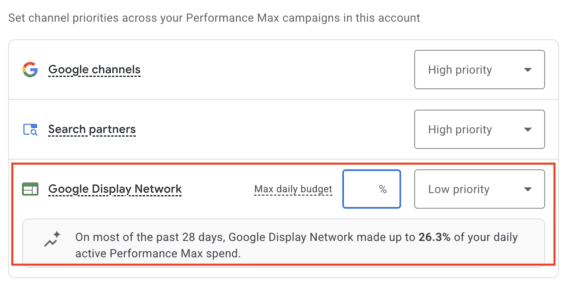
Toggle a channel to Low priority, and Google Ads will show its 28-day spend percentage. In the screenshot below, 26.3% of Performance Max spend had gone to the Display Network. Yet by itself the percentage doesn’t tell us whether to prioritize.
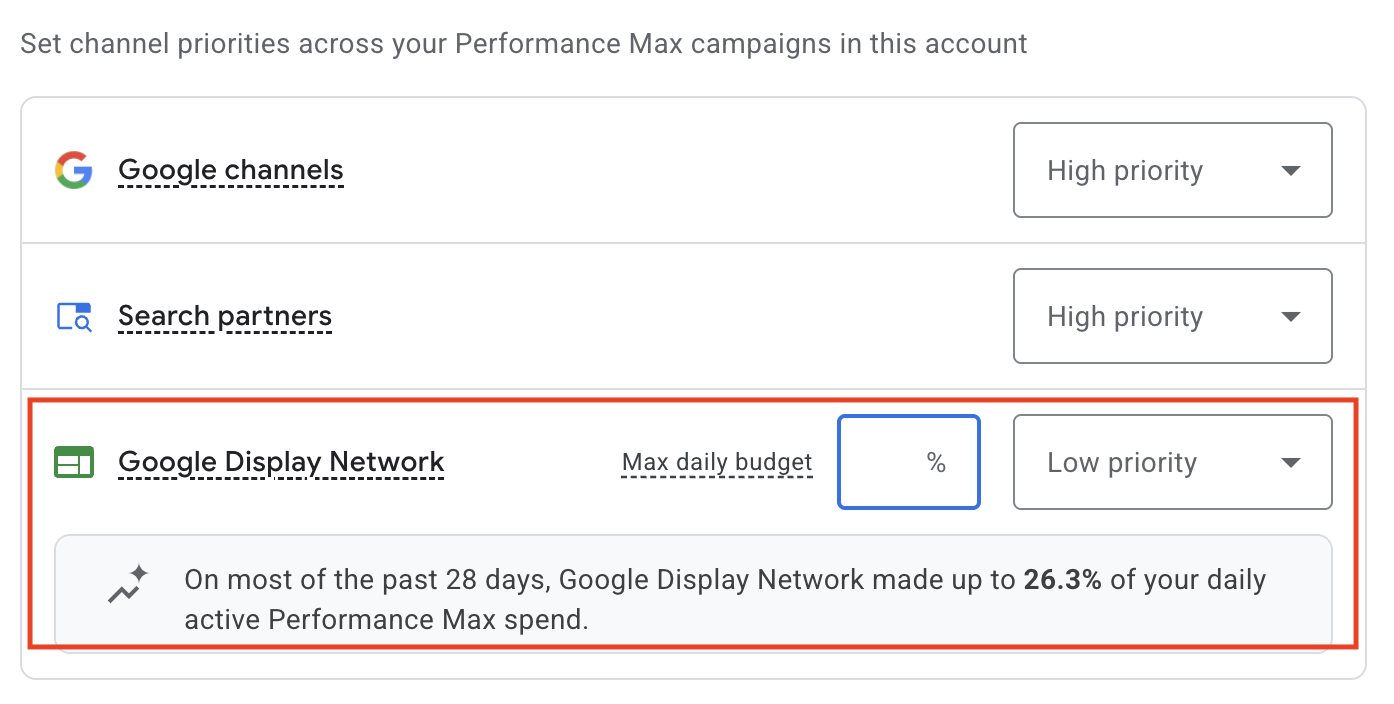
With “channel prioritization,” advertisers can assign a “High” or “Low” priority for each channel.
The channel performance report, in the “Insights and reports” section, provides the bottom-line conversion data. In this example, the overall campaign had 77 conversions and, as shown below, 37 came from the Display Network. That’s 48.1% of conversions (37 ÷ 77) for 26.3% of the spend.
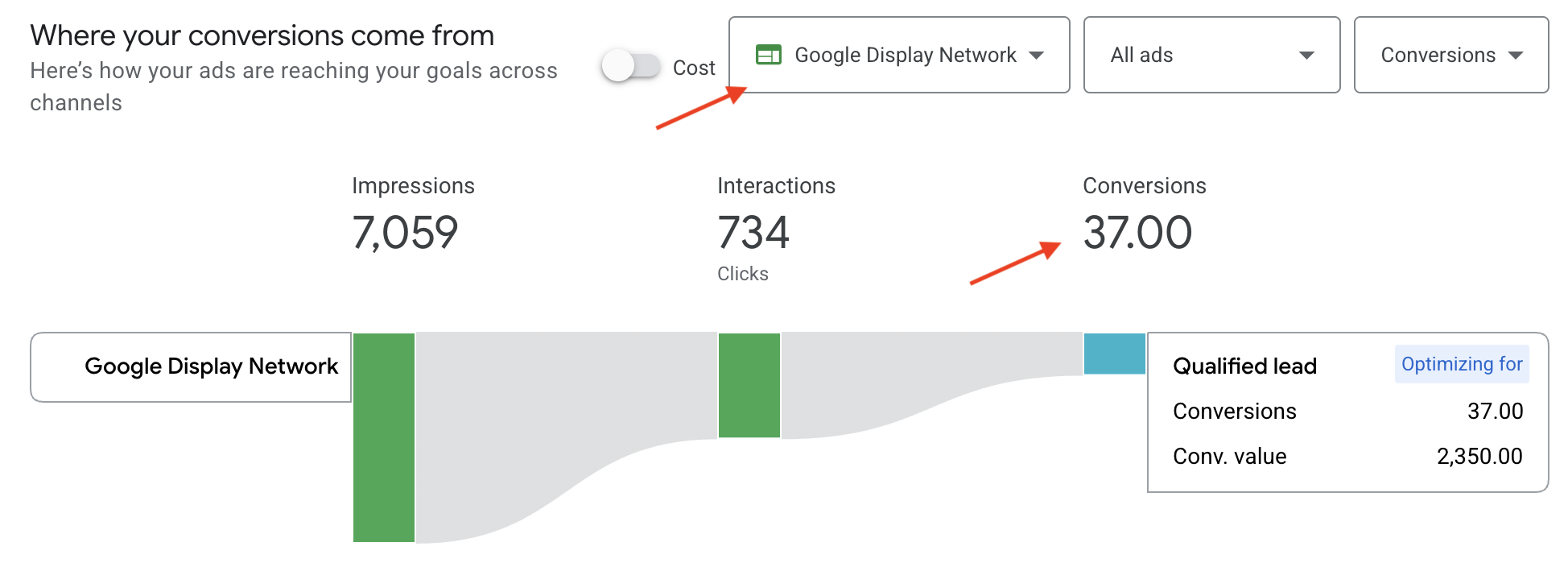
The channel performance report provides the bottom-line conversion data.
We can thus conclude the channel is performing comparatively well. It’s a “High priority.”
Other channels, however, could have a relatively large spend for the conversion count. They are a “Low priority,” and advertisers can enter a max daily-spend percentage.
Advertisers can set channel prioritization at the account or campaign level for each campaign type. For example, an advertiser could set Performance Max campaigns to Low priority for all “Google channels.” Accounts with few campaigns will likely opt for account-level settings, while accounts with many campaigns should prioritize for each one.
I’m excited for the change. I plan to test Low priority for Search partners in Search campaigns. I’ve long asserted that Search partners generate unqualified traffic and waste spend. I’ve turned off Search partners for that reason. But I can now test Search partners with a smaller budget and Low priority.
Limitations
Channel prioritization is helpful, but it has limitations. The most notable is the “Google channels” grouping, which includes:
Google allows only a single priority for all five channels. But each likely performs differently. Google apparently agrees since the channel performance report shows each separately.
An advertiser’s campaign may perform well on Google Search but not, say, on Maps. There’s no way to set unique priorities. It’s the original all-or-nothing restriction, but with fewer channels.
Keep an eye on Google’s treatment for Low priority channels. Does it respect advertisers’ maximum daily percentages? Does it reduce the spend at all? Time will tell.













Post Comment