Unlock Hidden SEO Secrets: How AI Prompts in Search Console Could Revolutionize Your Strategy
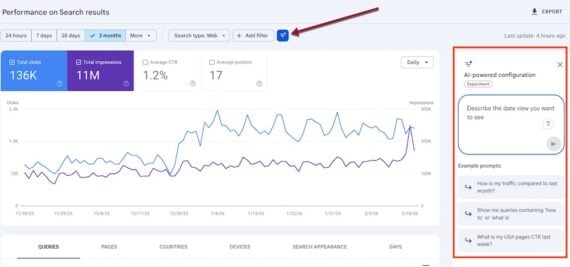
So, Google Search Console just flung open the doors to its shiny new AI analysis tool — after teasing a lucky few users with early access. Now, stuck in the Performance > Search results tab, you can toss in AI-style prompts and snag insights about your site’s organic search performance like never before. It’s kinda like having a clever assistant who not only sifts through your search data but also speaks your language — no more fumbling with endless prebuilt filters. But here’s a kicker: is this AI wizardry really going to transform how we decode search analytics, or just add another gizmo to our SEO toolkit that only the pros can wield? Stick around — I’m diving into hands-on examples that’ll show you what’s legit and what’s just hype. LEARN MORE.
Google Search Console’s AI analysis went public last week after being available to select users.
The feature, in the Performance > Search results tab, enables insights on a site’s organic search performance by entering generative AI-like prompts.
I’ll provide examples in this post.
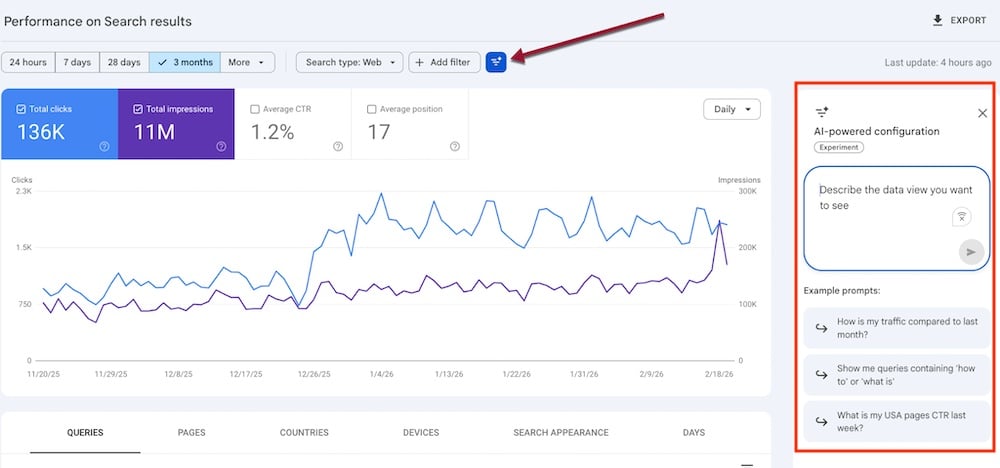
Search Console’s AI analysis responds to genAI-like prompts. Click image to enlarge.
Query analysis
Instead of using prebuilt filters to discern various types of searches, users can enter prompts, such as:
- “Show question-like queries.”
- “Filter queries longer than [xx] characters.”
- “Show informational queries.”
The feature initially responds to the prompts with regular expressions. For example, for the prompt, “Show queries with informational intent,” it created the following regex:
Queries matching regex: (what|how|why|guide|tutorial|explain|definition|example|best way to|steps to|tips for|reasons why|benefits of|difference between)
I could then click “Apply” to see the filtered results.
Similarly, I prompted “Show product research queries.” The feature responded:
Queries matching regex:(best|review|compare|vs|price|buy|alternatives|guide|recommendations |features|specs|cost|discount|deal|sale|where to buy|how to choose|top rated|pros and cons)
Again, I could “Apply” or “Dismiss” that regex.
Brand search
The AI analysis performed surprisingly well on brand-name searches. I prompted, “Show branded queries.” The regex responses included my brand name and a one- and two-word pattern:
Queries matching regex: (brandname|brand name)
Traffic drop
Search Console’s AI analysis can assemble traffic change reports. For example, I prompted:
- “Show pages that lost the most clicks over the past 30 days.”
- “Compare clicks last month with the same month of the previous year.”
Country-specific
Users can also evaluate organic search visibility in countries:
- “Show me clicks, Average CTR, and Average Position of my queries in Canada last month.”
Here’s a prompt for traffic changes:
- “Show pages that lost the most clicks over the past 30 days in Canada.”
Limitations
The new AI feature, while helpful, is not a game-changer. Inexperienced users do not typically know what to ask, while seasoned pros can go directly to the prebuilt filters.
Moreover, the AI integration works only with top filters. It cannot process requests for filters unavailable in the Performance reports. For example, it cannot respond to prompts for queries with an average position greater than 2, indicating room for improvement.
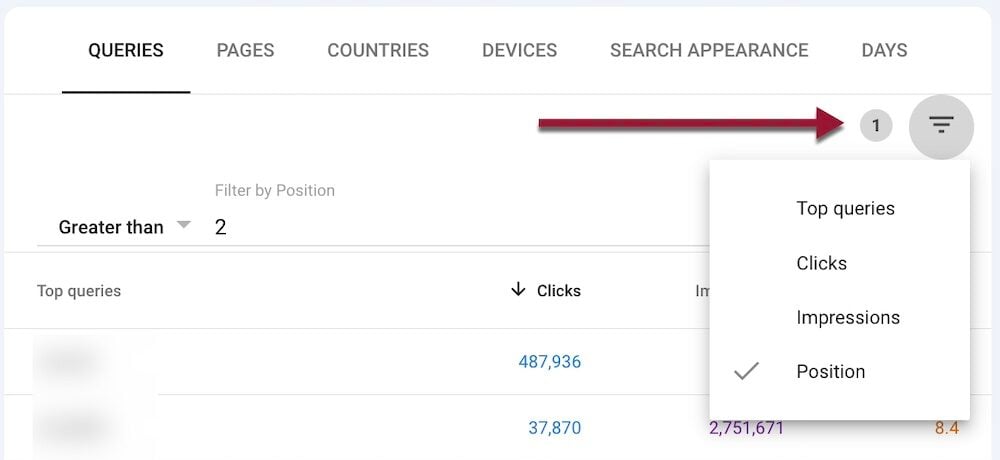
Default Performance reports allow filtering only on position 1.